Rating
After you finish an episode or a film, the add-on can ask how it was and send the score to CrossWatch, which passes it on to services such as Trakt or Plex.
This needs CrossWatch v0.13.4 or newer; an older one ignores ratings.
Switch it on
In the add-on settings, Viewers category, set "Ask for a rating" to Films, Episodes, or Films and episodes. It is Off by default. Three more settings then appear:
- When to ask: "After each watch" (the default) asks every time playback stops. "At the end, for everything watched" saves the questions up while you binge, and asks them all once you stop.
- Shared rating: one question for everyone who watched, instead of one per person. Off by default.
- Write the rating to Kodi's library: also set Kodi's own user rating. Off by default; see Kodi's own rating.
When it asks
Only after a watch that Kodi counts as finished: played to the end, or past Kodi's watched threshold (90 percent by default). If the who-watched question is asked too, the rating question comes after it.
With "After each watch", an episode that autoplay moved on from is not rated; only the last one before you stopped is. With "At the end, for everything watched", every finished watch is collected and asked about when playback stops, newest first. The collection lives only while Kodi runs: closing Kodi drops the questions not yet asked.
It is not asked:
- when the who-watched question was skipped or ran out of time.
- for a viewer who has since been removed.
- while another dialog is open, or while Kodi is shutting down.
- for anything the add-on does not report (see What the add-on sends).
Who is asked
Everyone the watch was credited to, however that was decided (see Who watched):
- With "Shared rating" off, each person gets their own question, "
<name>, how was it?", one after the other, and each can skip. - With "Shared rating" on, one question, "How was it?", and the score goes to everyone credited.
- When nobody was credited, one question, "How was it?", and the score is sent with no viewer. Only CrossWatch routes with an empty username whitelist and no user profile receive it.
Giving a score
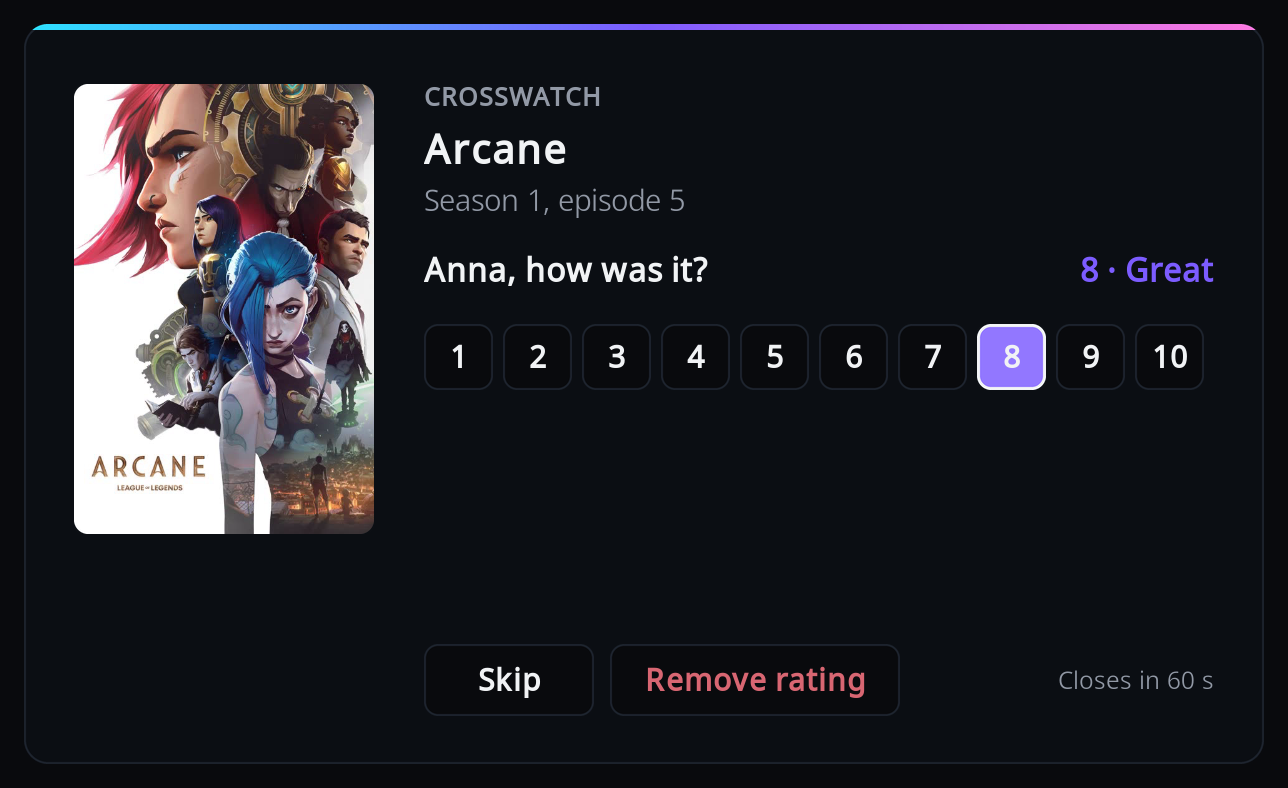
Focus starts on Skip, so pressing OK straight away sends nothing. Press Up to reach the scores and Left or Right to choose; the word for the score shows next to the question:
1 Awful, 2 Very bad, 3 Bad, 4 Poor, 5 Average, 6 Fair, 7 Good, 8 Great, 9 Superb, 10 Masterpiece.
- OK on a score sends it.
- "Remove rating" asks CrossWatch to remove this person's rating.
- Skip, Back, or doing nothing for a minute sends nothing.
Starting playback closes the window and cancels any questions still to come.
Kodi's own rating
With "Write the rating to Kodi's library" on, the add-on also sets Kodi's user rating for the item, if it is in Kodi's library. Kodi has one user rating per item, so it is only written when everyone who scored agrees: a shared rating, a single viewer, viewers who gave the same score, or one score with the rest skipped. If the scores differ, Kodi's rating is left alone. "Remove rating" with no other score clears it.
Note
On a shared MySQL/MariaDB library, every profile and every Kodi device using that library sees the same user rating.
Where ratings go
CrossWatch decides which of your connected services receive a rating; the add-on has no say. The table reflects CrossWatch when this page was written:
| Destination | Films | Episodes | Note |
|---|---|---|---|
| Trakt | yes | yes | |
| Plex | yes | yes | The title must be in the Plex library. |
| MDBList | yes | yes | |
| CrossWatch tracker | yes | yes | |
| Floppy | yes | yes | Needs a TMDb id. |
| Scrob | yes | yes | Needs a TMDb id. |
| PunchPlay | yes | yes | |
| FlickList | yes | yes | |
| WeTrakr | yes | yes | |
| Simkl | yes | no | |
| AniList | yes | no | Scores a whole anime entry. |
| Kitsu | yes | no | Scores a whole anime entry. |
| MyAnimeList | yes | no | Scores a whole anime entry. |
| Emby, Jellyfin, Kodi, BingeBase | no | no | They take no rating. |
If a rating does not arrive, see Ratings do not arrive.